Designs
Posters, social posts, banners and web pages, designed in your browser.
From a blank canvas to a finished design in one sitting. You design, the AI sets things up.
Canvas
A real canvas, with layers you control
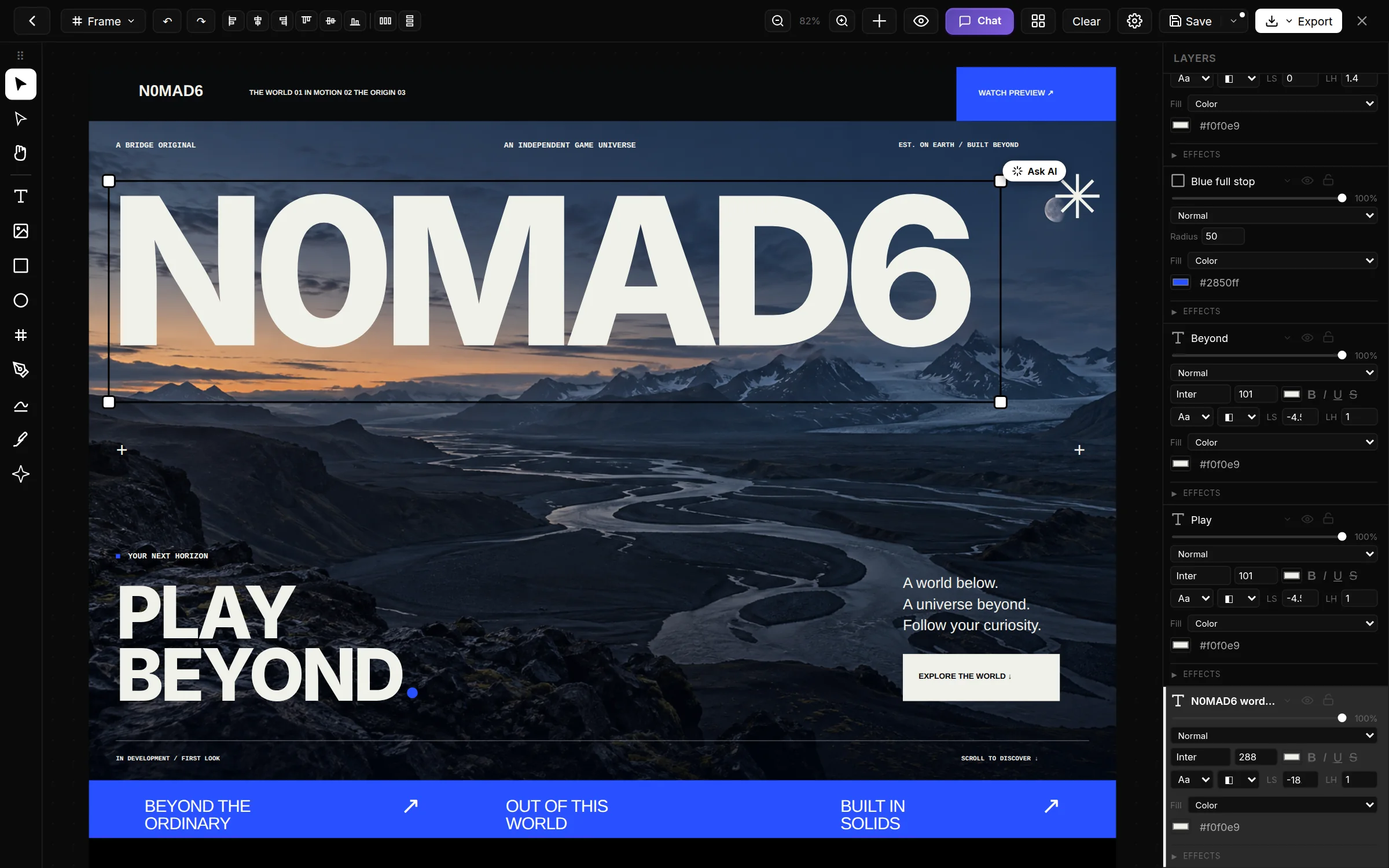
Every headline, image and button is its own layer, with type, color, gradient and effects right next to the canvas. This is the landing page for N0MAD6, our own game, designed in Designs.
- Lock, hide and reorder layers
- 45 typefaces built in
- Align, distribute and combine shapes
AI
Describe it. Get a layout you can edit.
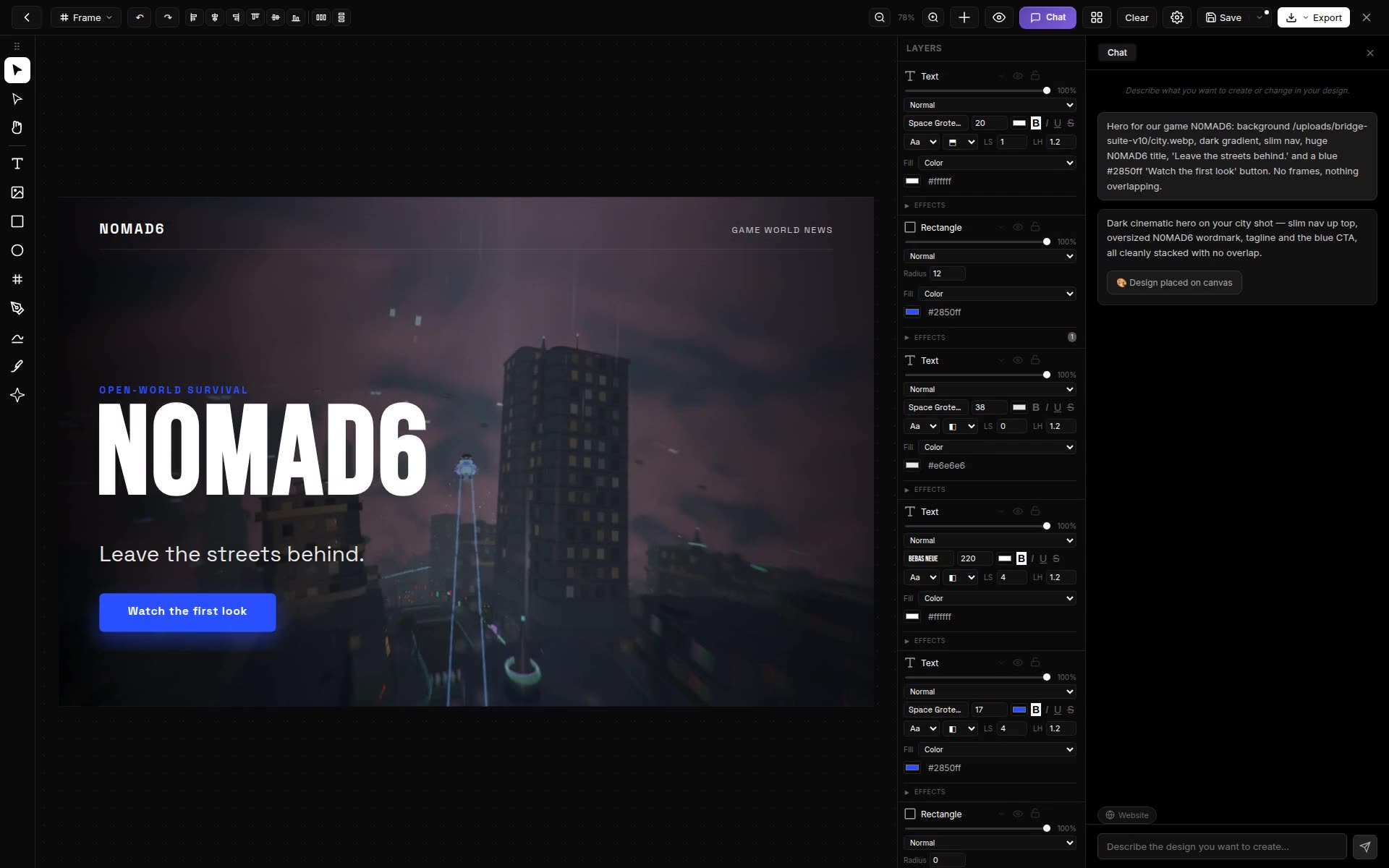
Tell the AI what you need and it places a complete layout on your canvas: background image, navigation, headline, button. Not a flat picture, but real elements you can move, restyle and keep refining.
- Ask for changes in plain language
- Use your own images or generate new ones
- Every element stays editable
Websites
Design the whole page, then take the code
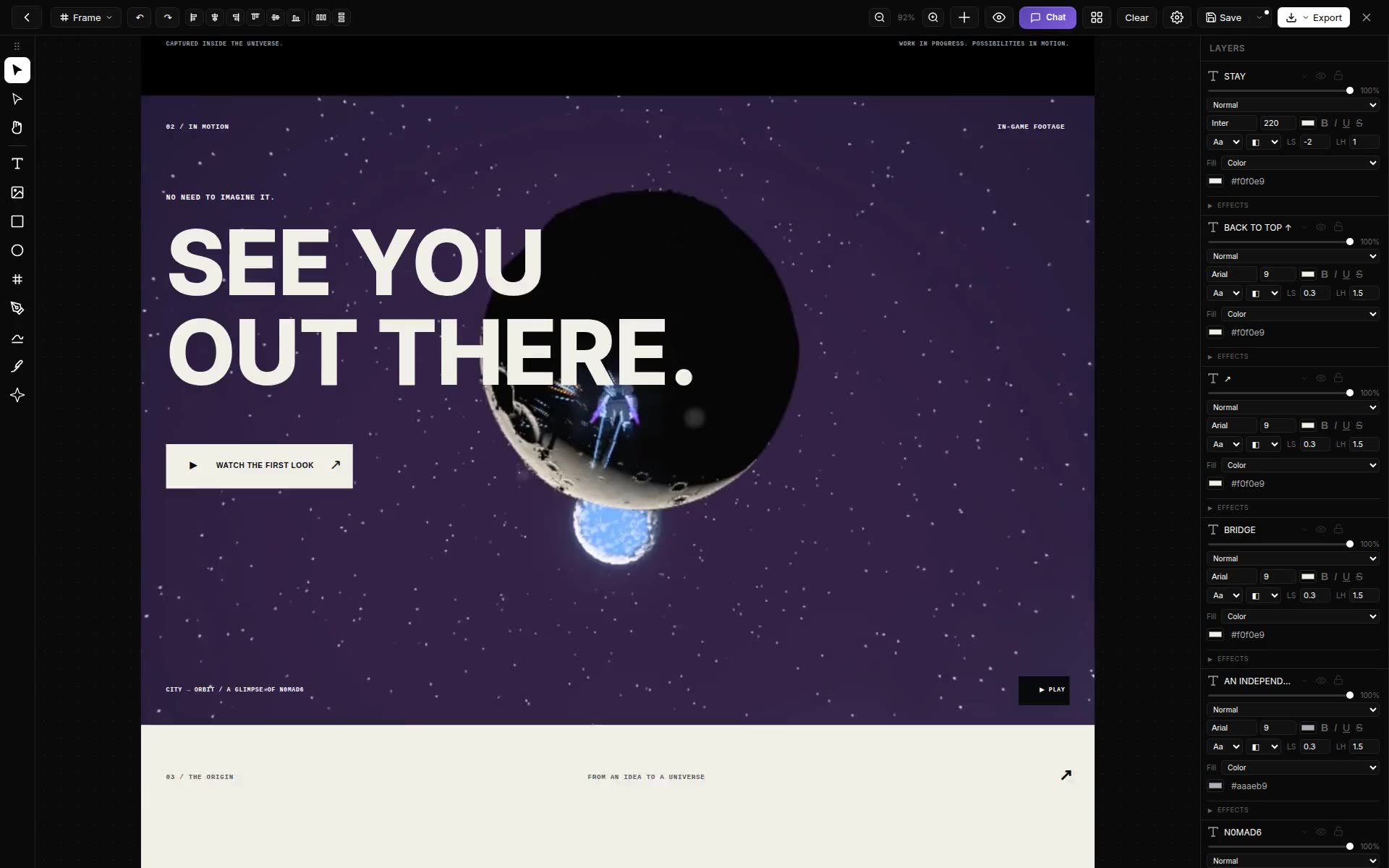
Designs goes beyond a single poster. Lay out a complete landing page from top to bottom, or switch the chat to website mode to have one set up. Then export it as HTML, Tailwind or React, or as sharp PNG and SVG.
Try it yourself!
More tools in Bridge Suite
- Animations: Animation studio for motion graphics
- Motions: A full video editor with a timeline
- Pages: Layout for print & PDF (CMYK)
- Sounds: Music & audio with tracks and synths
- Numbers: Bookkeeping & invoices
- Solids: 3D modeling, Blender-light
- Pictures: Photo editor with RAW support
- Slides: Build presentations